iPad app for event photographers

Every photo at the booth, the moment it lands.

Cloutal Preview turns an iPad into a photo preview station. It reads straight from the NAS your cameras save to, watermarks every photo, and lets families favorite the ones they love.

Free for iPad · Works on the venue's own network, even without internet
FavoritedSent to your team
New photosStraight from the NAS
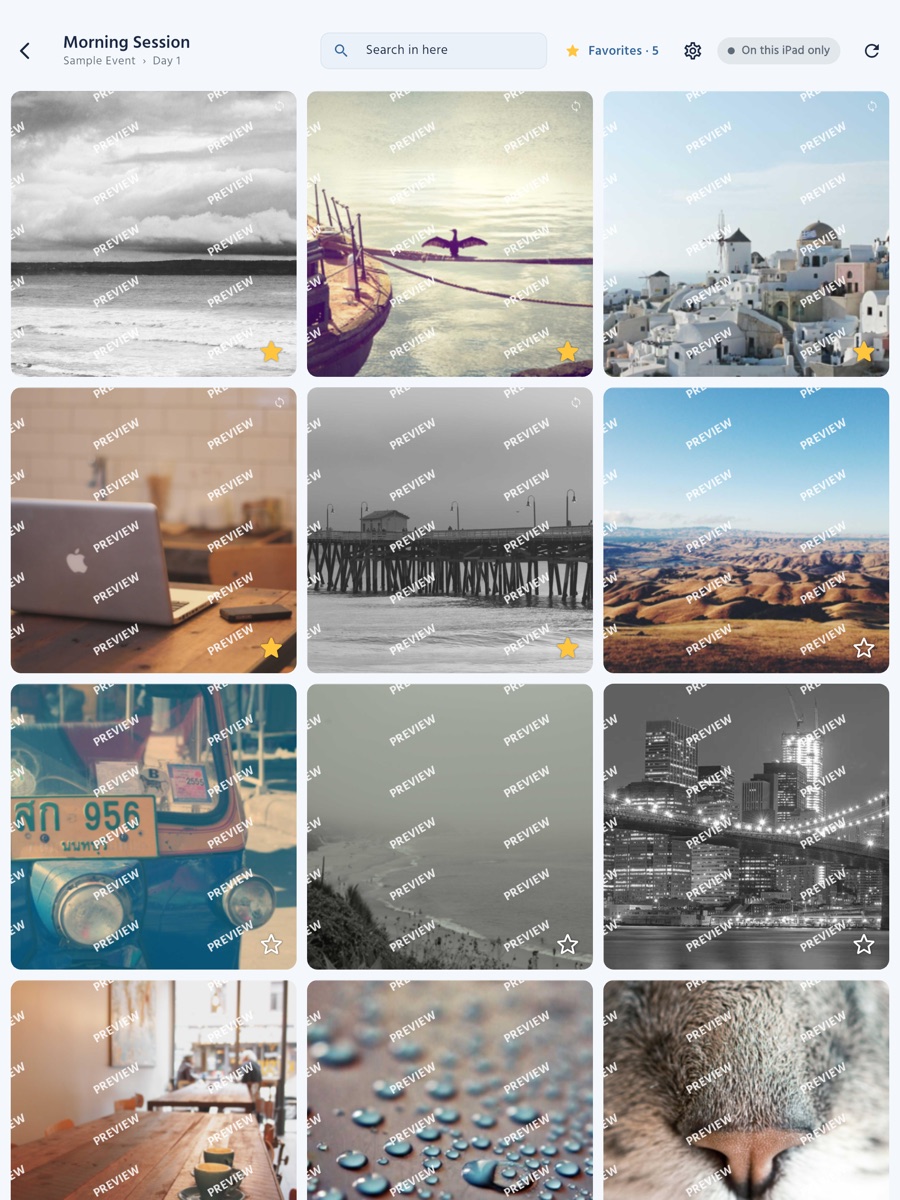
Cloutal Preview on iPad: a session's photos in a grid, each watermarked PREVIEW, with stars for favorites

Built for the booth at live events

💃 Dance competitions 🎭 Recitals 🏆 Award shows 🎓 School events ⚽ Sports days
Everything the booth needs

From the camera to the customer, in seconds

No uploading, no laptop at the table, no printed proofs. Your photographers shoot, the photos land on your NAS, and families see them right away.

Straight from your NAS

Every folder on the server becomes a gallery, with a cover on every folder of photos. Synology, QNAP, Mac and Windows file sharing — SMB 2 and SMB 3.

Watermarked, always

Every photo carries your studio's watermark — your logo or your name, the way your Cloutal Media storefront shows it. Nothing is written to the photos themselves.

Favorites for families

Customers star the photos they love. Your crew pulls up the favorites folder by folder, then clears them for the next family.

Find any performance

Search every folder by a performer's name, a routine number or a day. A full-screen viewer swipes, zooms and stays sharp.

Locked for the crew

The server, the watermark and the Cloutal Media link sit behind the iPad's own passcode. Customers see photos and nothing else.

Works with Cloutal Media

Sign the iPad in with a Preview device code, and customers' favorites go to your album on Cloutal Media for your team to approve.
See it in action

The real app, on iPad

Screens from Cloutal Preview's built-in sample event, with stock photography.

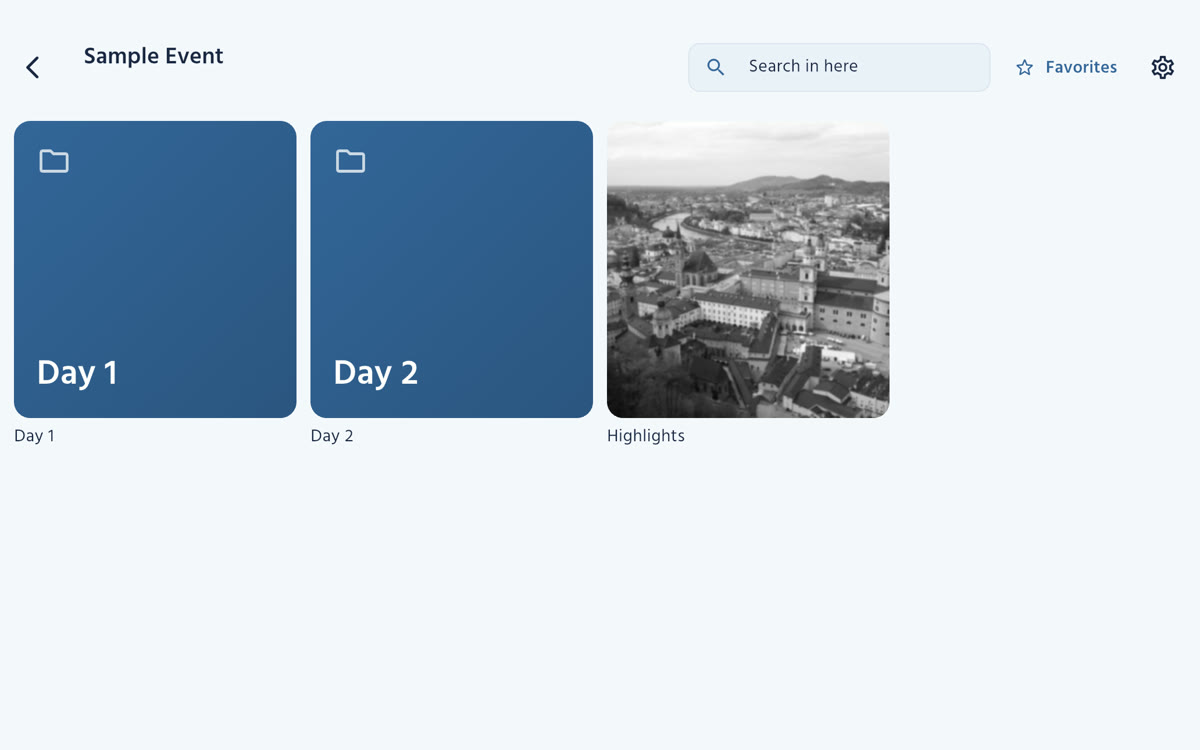
An event's folders: Day 1 and Day 2 by name, and a Highlights folder with its cover photo
Your event, as foldersDays by name, galleries by their cover.
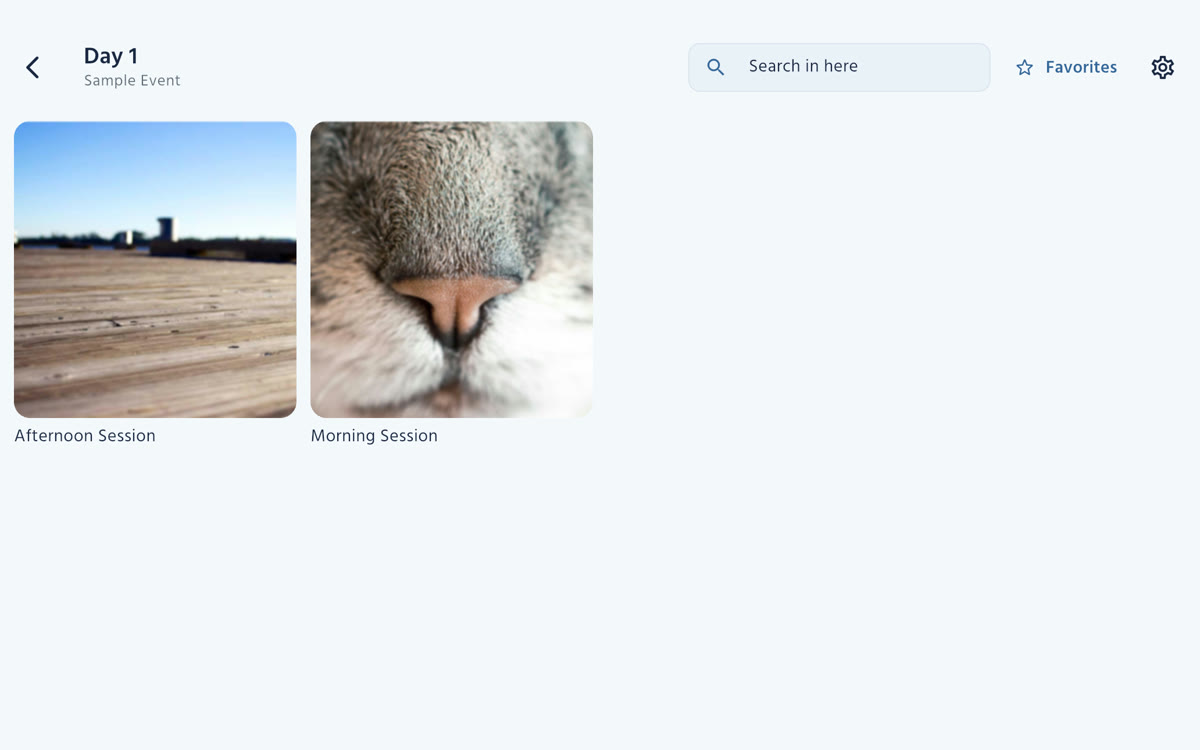
A day's sessions, each with its cover photo
A day at a glanceEvery session, with its cover.
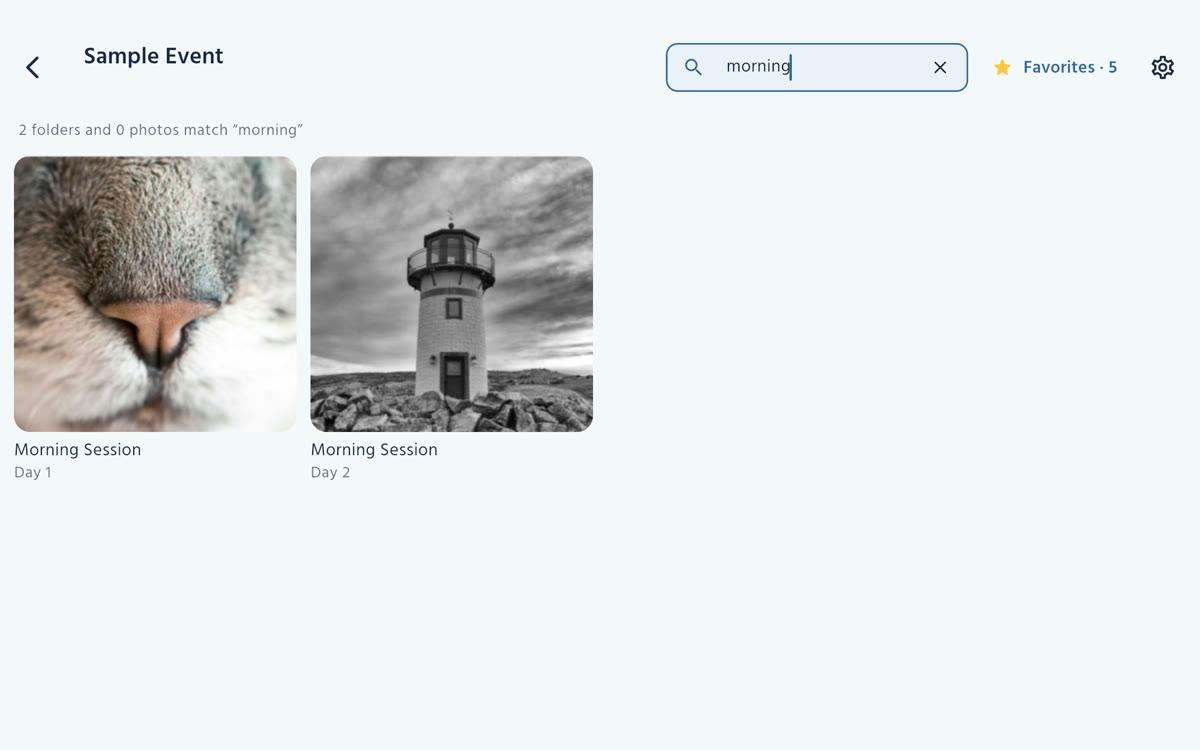
Search results for morning across every folder
Search every folderBy a performer's name, a number or a day.
A session's photos in a watermarked grid with stars
Every photo, watermarkedNew photos appear as they land.
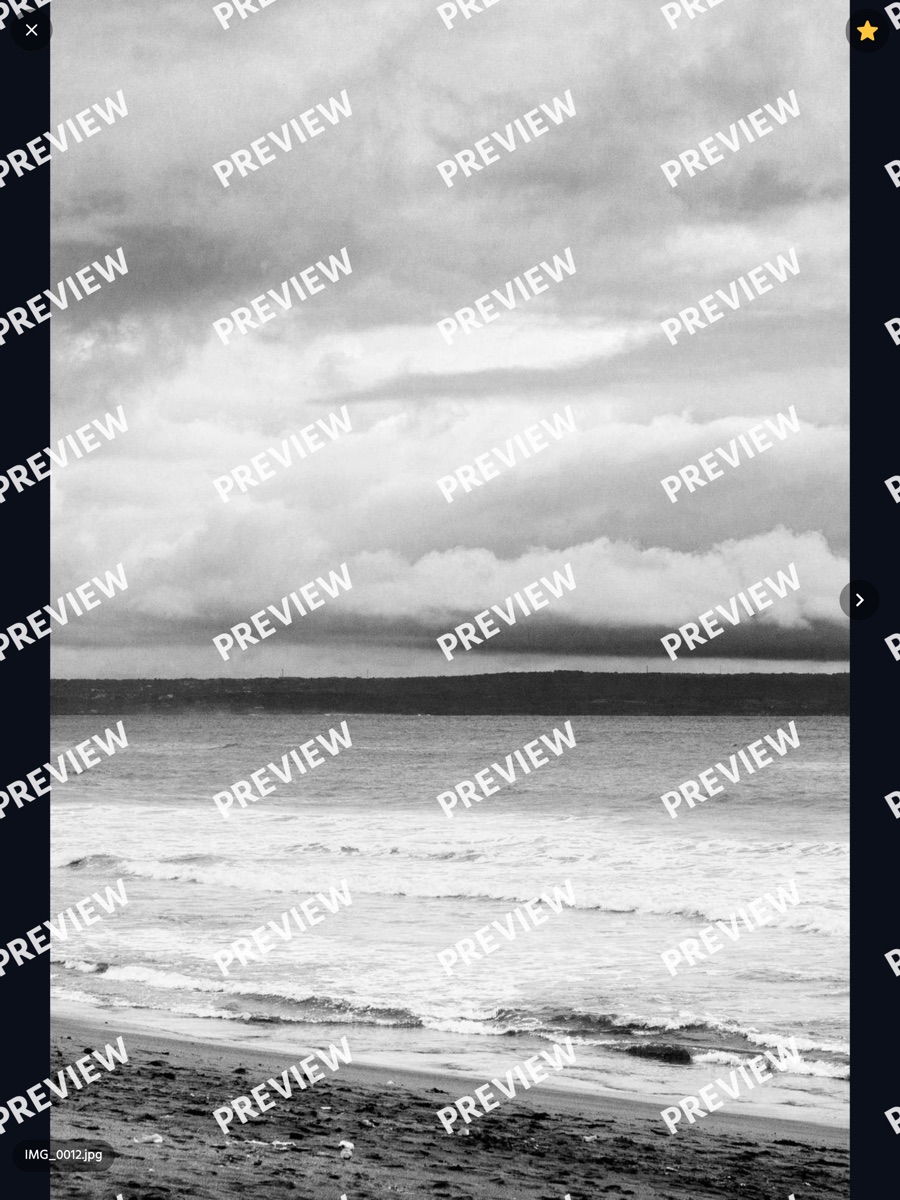
One photo full screen with the watermark across it
Full screenSwipe, pinch to zoom, pull down to close.
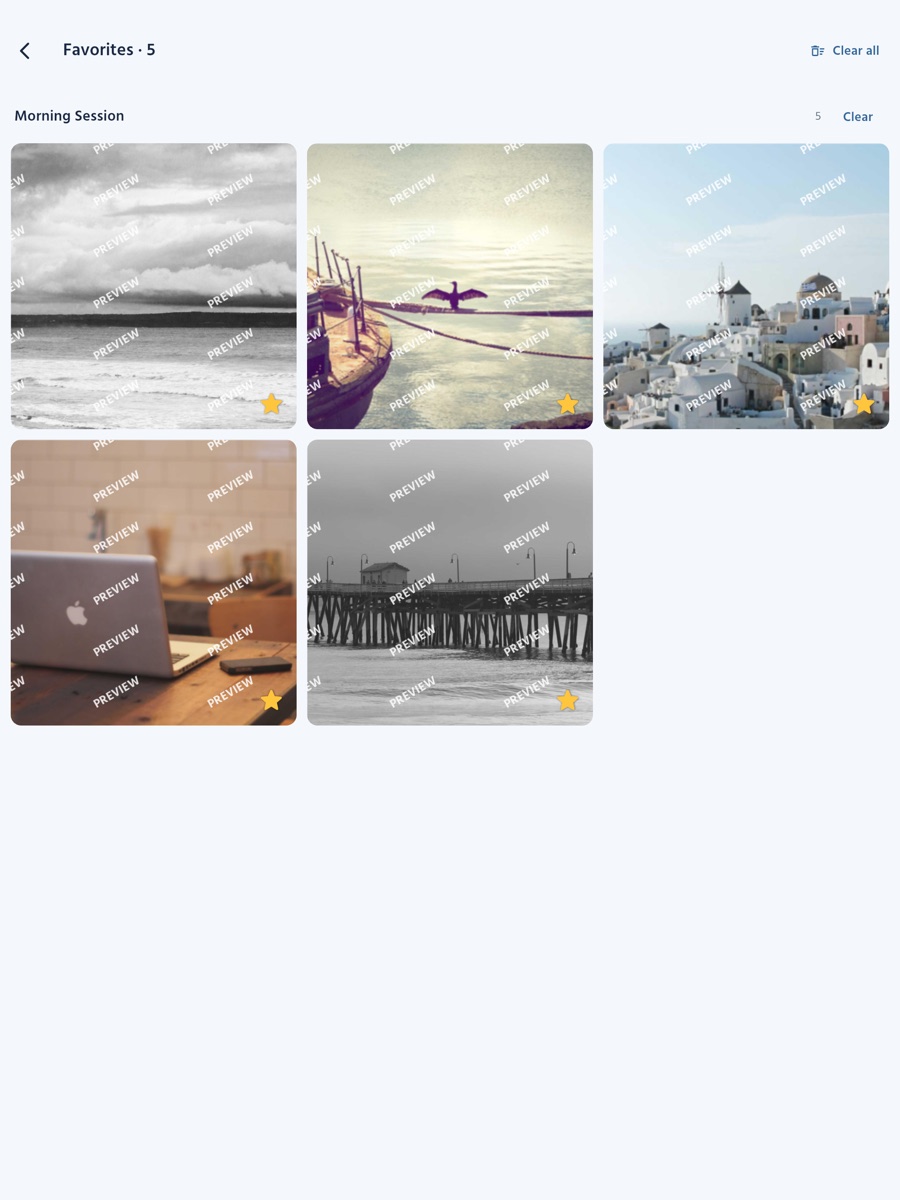
The favorites screen, grouped by folder, with Clear buttons
Favorites, ready for your teamClear them for the next family.
Set up in minutes

Three steps to a preview booth

1

Connect the iPad

In Station settings, behind the iPad's passcode, add the NAS your cameras save to and pick the event's main folder. The station reconnects by itself every time it opens.

2

Families browse and favorite

Customers find their performance, swipe through the photos full screen and star the ones they love — all watermarked, all on the venue's network.

3

Your team approves

Favorites go to your album on Cloutal Media as customers' picks. Your team approves them into the album's stars and prepares the order.

What you need

Bring an iPad. Keep your workflow.

At the venue

  • An iPad on iPadOS 15 or later
  • A NAS or computer sharing folders over SMB (Synology, QNAP, Mac or Windows)
  • The iPad and the NAS on the same Wi-Fi network
  • No internet needed to show photos

With Cloutal Media (optional)

  • A Cloutal Media studio account
  • A Preview device code for the event's album
  • Your studio's watermark, pulled in automatically
  • Favorites sent to your team for approval

Bring Cloutal Preview to your next event

Cloutal Preview is free on the App Store for iPad. Studios on Cloutal Media get the download link from us.