
Cloutal Live
Run live shows from a Mac — lineups, overlays, recording and streaming. One operator runs the whole show, one key at a time.
Coming soon for Mac · One email at launch, nothing else
Mac only — Apple silicon · macOS 14 Sonoma or later. Not available for Windows, iPad or iPhone.
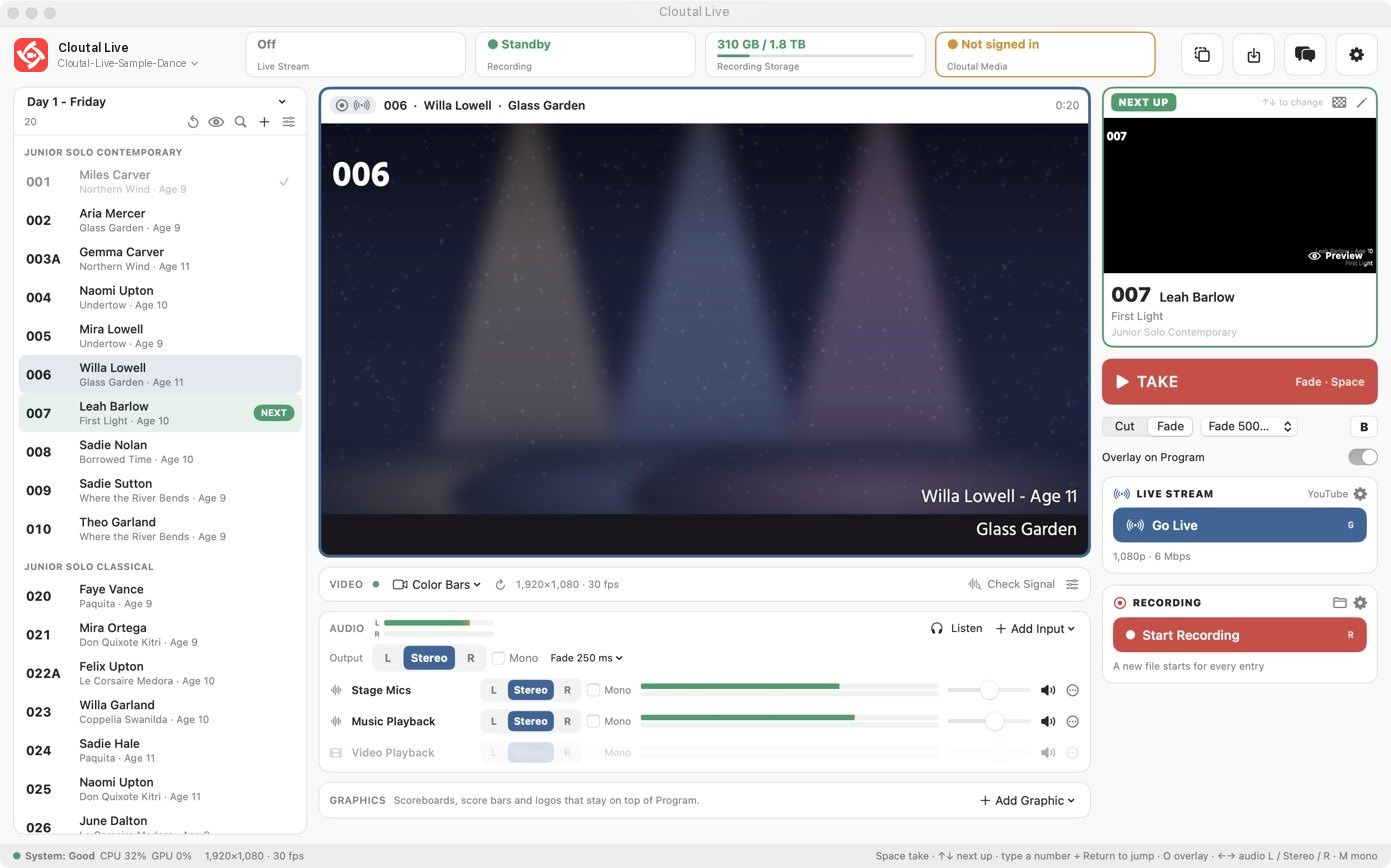
Everything a live show needs, in one window.
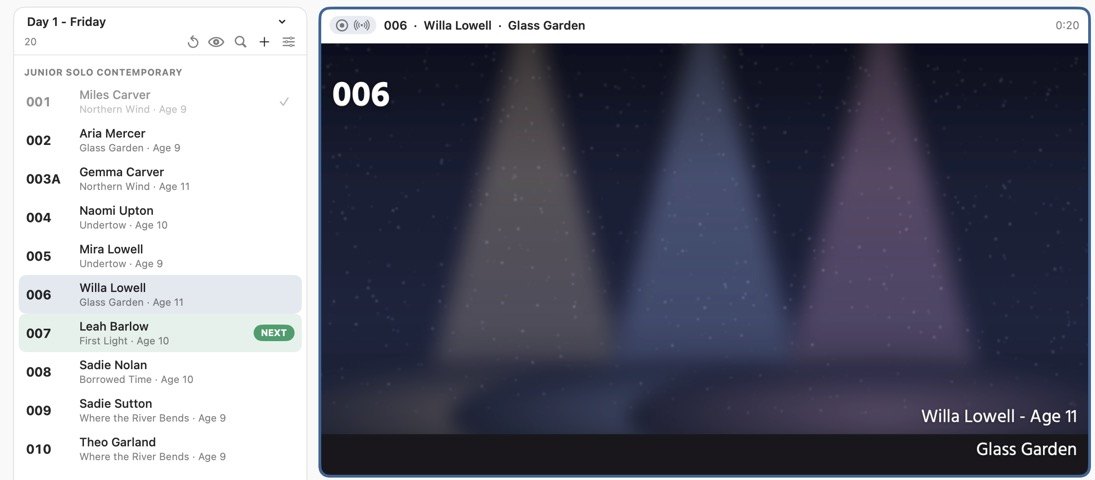
Your running order, imported
Open the event's spreadsheet (Excel or CSV) and every tab becomes a lineup, numbers kept exactly as typed — or pull the lineup straight from Cloutal Media's Event Data.
Overlays that fill themselves
Numbers, names and titles land on screen from the lineup. Design lower thirds and title cards in the built-in layout editor; Space takes the next one.
A file for every entry
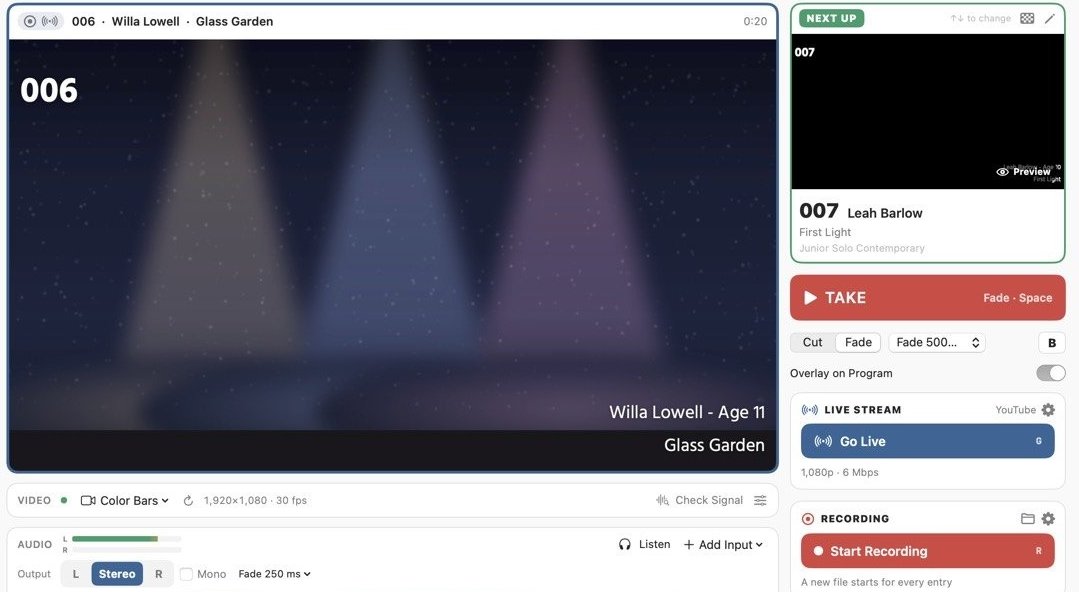
Each take starts a new recording named after the entry — crash-safe, HEVC or H.264, straight to your drive. Mark an entry not to record and it is skipped.
Live to YouTube and more
Streams on its own encoder, so recordings stay full quality on a slow connection. It reconnects by itself; Hold and Fade to Black are one key away.
Sent to Cloutal Media
Recordings can upload into your galleries as each one finishes, and saved lineups and overlays sync to every Mac on your team.
Not a mock-up. This is Cloutal Live.
Every picture here is the app itself, running the sample dance lineup that comes with it.
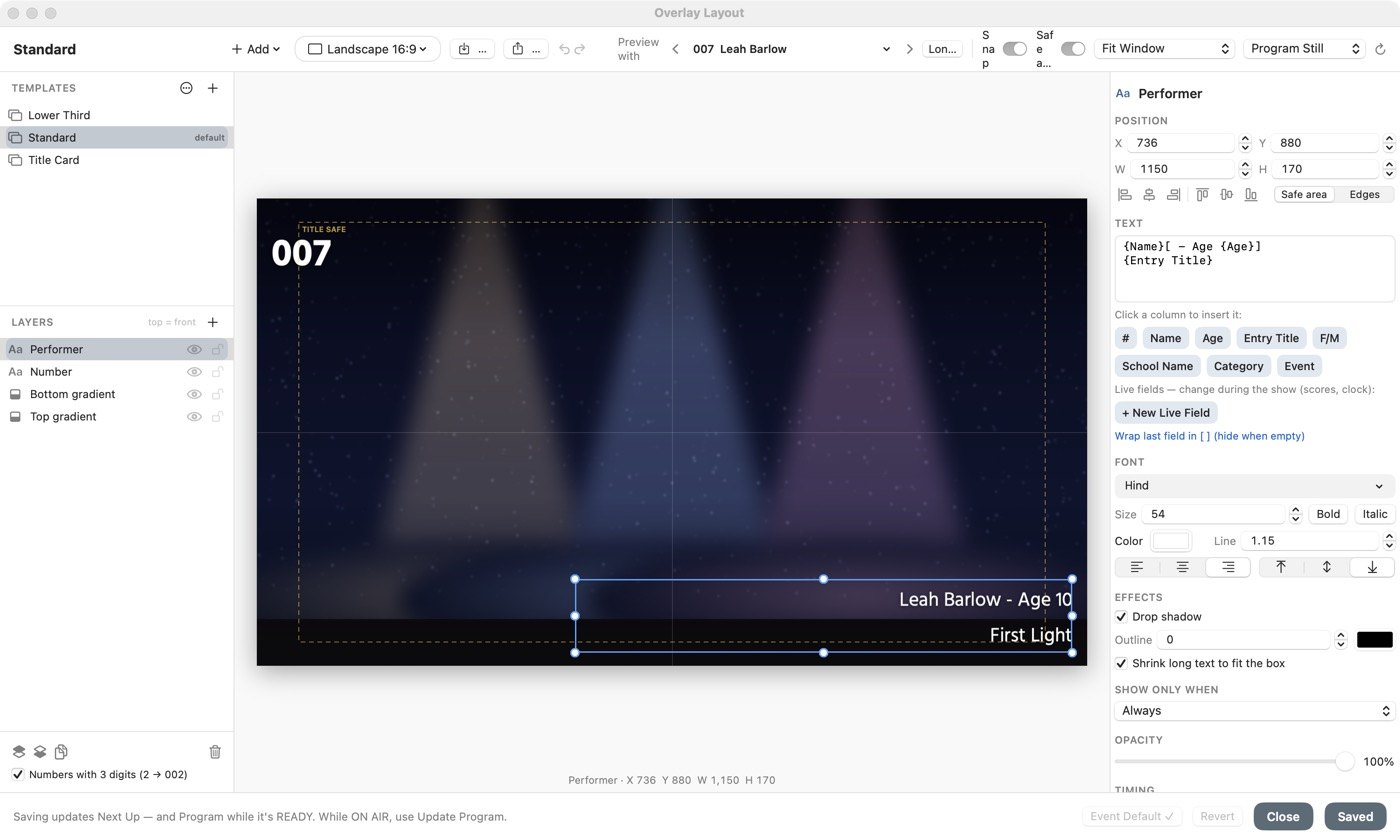
{Name}, {Age},
{Entry Title} — and preview it with any entry in the lineup. Lower thirds, title cards, safe areas and timing.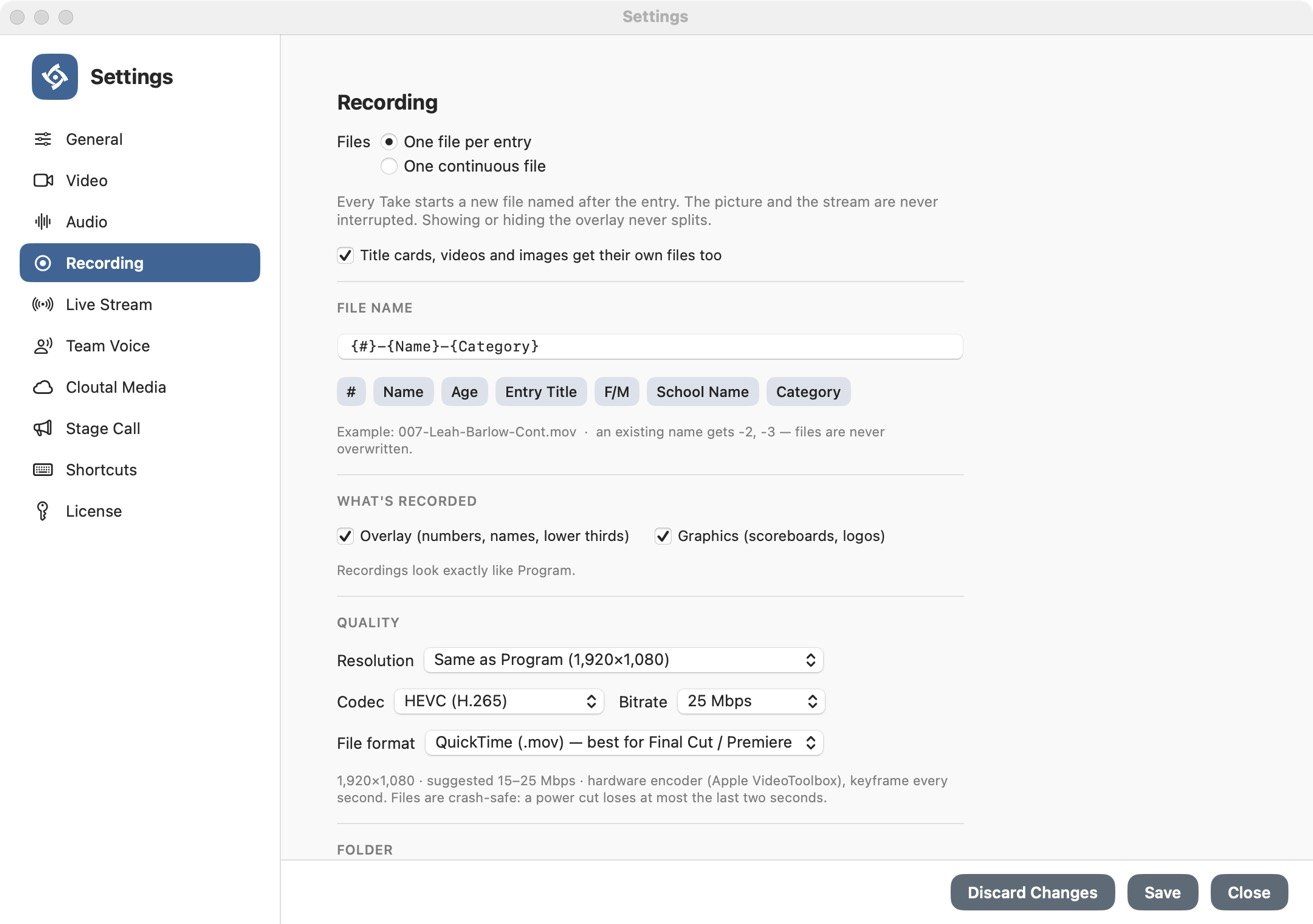
007-Leah-Barlow-Cont.mov instead of Recording 14.
Hardware encoding, crash-safe files, and the stream never interrupts the recording.Part of the Cloutal show.
Cloutal Media
Upload the event's lineup once on Event Data and every app follows it. Recordings go into your galleries, and your team's saved lineups and overlay templates stay in sync.
Cloutal Tether
The photographers work from the same lineup, so every photo is filed under the right performer — and Team Voice keeps the whole crew talking.
Simple, all-in pricing.
Every plan includes a 14-day free trial and all features. A licence you buy is for one person, on up to two Macs. Every paid Cloutal Media plan includes one Cloutal Live key, which works on one Mac.
Mac only · Apple silicon · macOS 14 or later · Payments by Stripe
Be first to know
Cloutal Live is in final testing. Leave your email and we'll send one message the day it opens — nothing else.
One email at launch. No newsletter, no sharing your address.